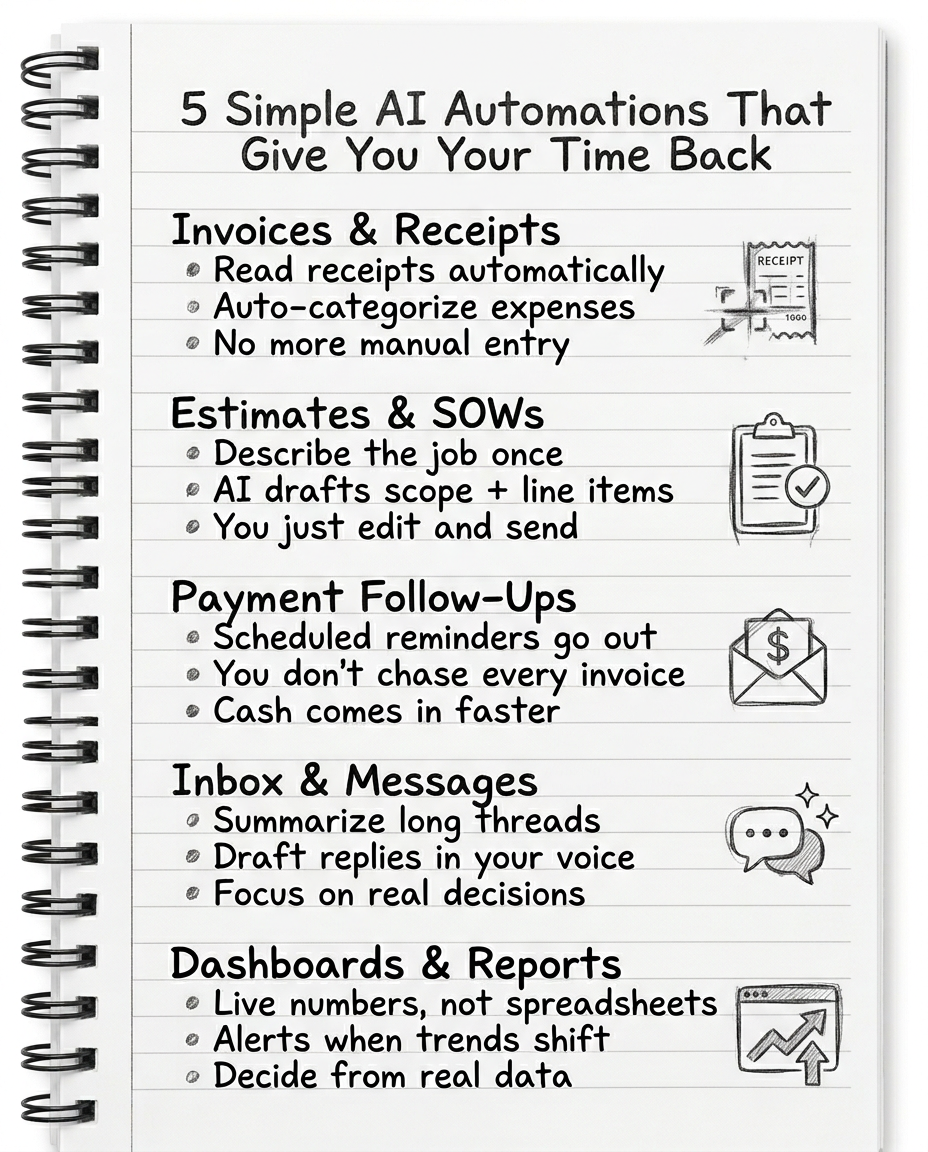
How much of your week is spent doing work that actually grows the business — and how much is just keeping the lights on?
Entering receipts, chasing invoices, digging through email threads, rebuilding the same reports, rewriting the same messages. The gap between businesses that use AI and automation and those that don't is getting wider every year. Automated email responses, AI-driven scheduling, invoice reading, expense classification, document drafting, and reporting are now standard in high-performing teams.
You already have a business, customers, and know how to deliver. But you're still the glue holding everything together — and that's the bottleneck. Here are five simple AI automations that can give you hours back each week without needing to become a programmer or overhaul everything. Boring, unsexy automations that quietly free up your calendar so you can do the work only you can do.
1. Invoices & Receipts: Stop Typing, Start Reviewing
Every time you manually type invoice details, re-enter customer info, copy amounts into your bookkeeping, or hand-categorize every card charge — you're doing work a machine now does better, faster, and with fewer mistakes.
Modern AI accounting tools can:
- • Read invoices and receipts from photos or PDFs
- • Extract vendor, date, amount, tax, and line items
- • Suggest the right category based on patterns
- • Auto-match transactions against bank feeds
Your job shifts from data entry to quick review and approval. You stop falling behind on bookkeeping, catch errors earlier, and get cleaner books without burning your evenings.
This is exactly the territory where CogniFlow Books lives — built for contractors, service businesses, and local businesses to capture receipts, categorize expenses, and keep the books in order without manually entering everything into spreadsheets. If you're still typing receipts line by line, you're leaving hours on the table every month.
2. Estimates & SOWs: Turn “Describe the Job Once” Into a Draft
If your business sends estimates, proposals, or scopes of work, you know how much time disappears into writing descriptions, tweaking terms, copy-pasting old proposals, and rewording the same deliverables for slightly different jobs.
AI is extremely good at structured writing off a template. Here's the practical workflow:
Step 1. Describe the job in plain English — what the client wants, constraints, budget range, special notes.
Step 2. AI uses your templates to draft a scope of work, line items and quantities, and basic terms.
Step 3. You review, tweak, and send.
That's what “AI-assisted drafting” really means. It doesn't replace your judgment — it removes the blank-page problem and repetitive retyping. It also makes your paperwork more consistent, which reduces disputes later.
CogniFlow Books connects the numbers to the words — pulling materials, labor, and pricing into line items, keeping templates consistent, and making sure accepted jobs flow straight into invoicing and job tracking. If your SOWs live in random Word docs and every estimate starts from scratch, this is a high-leverage place to plug in AI.
3. Payment Follow-Ups: Stop Chasing Every Invoice by Hand
Chasing late payments is one of the fastest ways to burn your energy as an owner. You send the invoice, wait, nudge once, wait again — meanwhile cash gets stuck. AI and automation don't have feelings about this. They just:
- • Schedule reminder emails or texts at set intervals
- • Adjust the tone based on timing
- • Escalate to firmer language when needed
Here's what a simple automation looks like:
Day 0: Invoice sent
Day -3: Reminder before due date
Day +1: Friendly past-due note
Day +7: Firmer reminder with late-fee language
Day +14: Escalation or flagged task for personal outreach
With an AI-enabled system connected to your accounting, you always know who's late, how long they've been late, the total outstanding, and a full log of past reminders.
CogniFlow Books is specifically designed to track invoices, deposits, progress payments, and outstanding balances — and integrates into automated reminder flows so you spend less time hunting down every dollar. Your job becomes deciding who you want as a client, not copy-pasting “just a friendly reminder” emails five times a week.
4. Inbox & Messages: Summaries and Drafts in Your Voice
You probably spend an unhealthy amount of time reading long email chains, catching up on messages, scrolling for context, and rewriting similar responses over and over. AI can't decide what you want your business to be — but it can help you process communication faster.
Owners are increasingly using AI assistants to:
- • Summarize long threads into “3-line: what changed and what's needed”
- • Highlight open questions or unresolved decisions
- • Draft replies in their tone to edit and send
- • Turn voice notes into clean emails or updates
You keep control of the final send button, but your brain stops doing first-draft labor. That's how you stop drowning in your own inbox and start treating communication like a process instead of a never-ending firehose.
5. Dashboards & Reports: Live Numbers Instead of Static Spreadsheets
Every month you (or your bookkeeper) probably export data from your bank, clean it up in Excel, build some charts, and try to interpret what changed. By the time you see the numbers, they're already old.
AI and automation can continuously pull data from your systems, classify and reconcile transactions, build live dashboards with key metrics, and send alerts when something looks off. Instead of you hunting for problems, the system flags them.
Example dashboards that actually matter:
CogniFlow Books already holds a big chunk of the financial truth — jobs, invoices, payments, expenses — making it a natural data source. The endgame: you make decisions from live data, not from stale spreadsheets you rebuild at midnight.
What This Actually Buys You
These five automations aren't about “using AI because it's trendy.” They're about moving from doing everything manually to running your business like a system.
The “AI gap” is real. Businesses that adopt automation are reducing admin time, responding faster to customers, and making better financial decisions than those that don't. If you keep trying to out-work this gap manually, you will burn out. If you start using systems, you give yourself a chance to play a longer game.
This Week: Pick One and Move It From Manual to Mostly Automated
Invoices & Receipts
Turn on AI-powered receipt scanning in your bookkeeping tool. Forward every invoice/receipt to a single email your system watches. Stop entering anything by hand unless you're reviewing or fixing it.
Estimates & SOWs
Take your best proposal and turn it into a reusable template. Use AI to generate 2–3 variations from a short job description. Commit that no new estimate starts from a blank page.
Payment Follow-Ups
Set automated reminder schedules on your invoices. Decide how many days until the first, second, and third message. Let the system chase while you focus on real work.
Inbox & Messages
Use an AI assistant to summarize one messy thread today. Have it draft your reply. Edit and send. Get used to that flow.
Dashboards & Reports
List the 3–5 numbers you actually want to see weekly. Connect your bookkeeping and other tools to a simple dashboard. Set at least one alert (e.g., cash dropping below X or invoices more than Y days late).
You don't need to automate everything. You just need to stop acting like a robot in your own business.
Your AI Bookkeeping & Financial Brain — CogniFlow Books
Receipt scanning, AI-assisted estimates, automated invoice tracking, real-time cash flow, and job profitability — all in one platform built for contractors and service businesses. Try it free for 7 days.
Start Free Trial